Tuesday, August 25, 2020

Deploying JavaScript Game to Steam, App Store, Google Play, and PWA

As time has allowed over the past few months, I've been experimenting with Paco and the Tumbling Seed Box to take advantage of various open source technologies like Cordova and Electron so that Paco can play on multiple platforms. Using Cordova, I can package the game as an app for both the App Store and the Google Play store. Using Electron, I was able to build standalone versions of Paco for Windows, Mac, and Linux.

One of the first issues I ran into is that both of these tools are unable to build for all platforms from the same development computer (with the exception of Cordova being capable of building both iOS and Android versions on a Mac). I wanted a solution that allowed me to build the game for all of these platforms without me having to bounce between computers. Even better, I preferred a solution that allowed me to invoke a command from the game code base itself to build for any or all platforms regardless of what platform I am presently using.

So I created a packager project that runs as a nodejs express server with built-in relays to handle requests depending on the platform it's serving from and pass along those it can't handle to another server. Running this service on a Mac and on a PC provides game-packaging services for all the current platforms I've built support for. From Paco's game development project, I can run something like "npm deploy:steam", which packages the current version of the game into a zip file and sends it to the PC. The PC in turn recognizes that it is unable to deploy to Steam (Windows seems to have issues with ".app" Mac files) and passes the game zip on to the Mac. The Mac recognizes that it can't package for Windows, so it leaves that to the PC and builds the Mac and Linux versions using Electron while the PC builds the Windows version and sends it to the Mac. Once the Mac has all three versions ready, it ships it off to Steam using tools from the Steam SDK.

In addition to the above, I also set up the packager to deploy a PWA version to the website. I'm still working on the hosting website as time allows, but you can enjoy the current progress and see the four targets at https://town.gopherwoodstudios.com/store/paco.html

Each platform and store has its own quirks, but I'm hoping that this process will separate those issues from the game itself and make deployment of future Gopherwood games a bit simpler, allowing each game to reach folks on the platforms they prefer as well as making game updates and fixes go a little quicker.

Monday, May 11, 2020

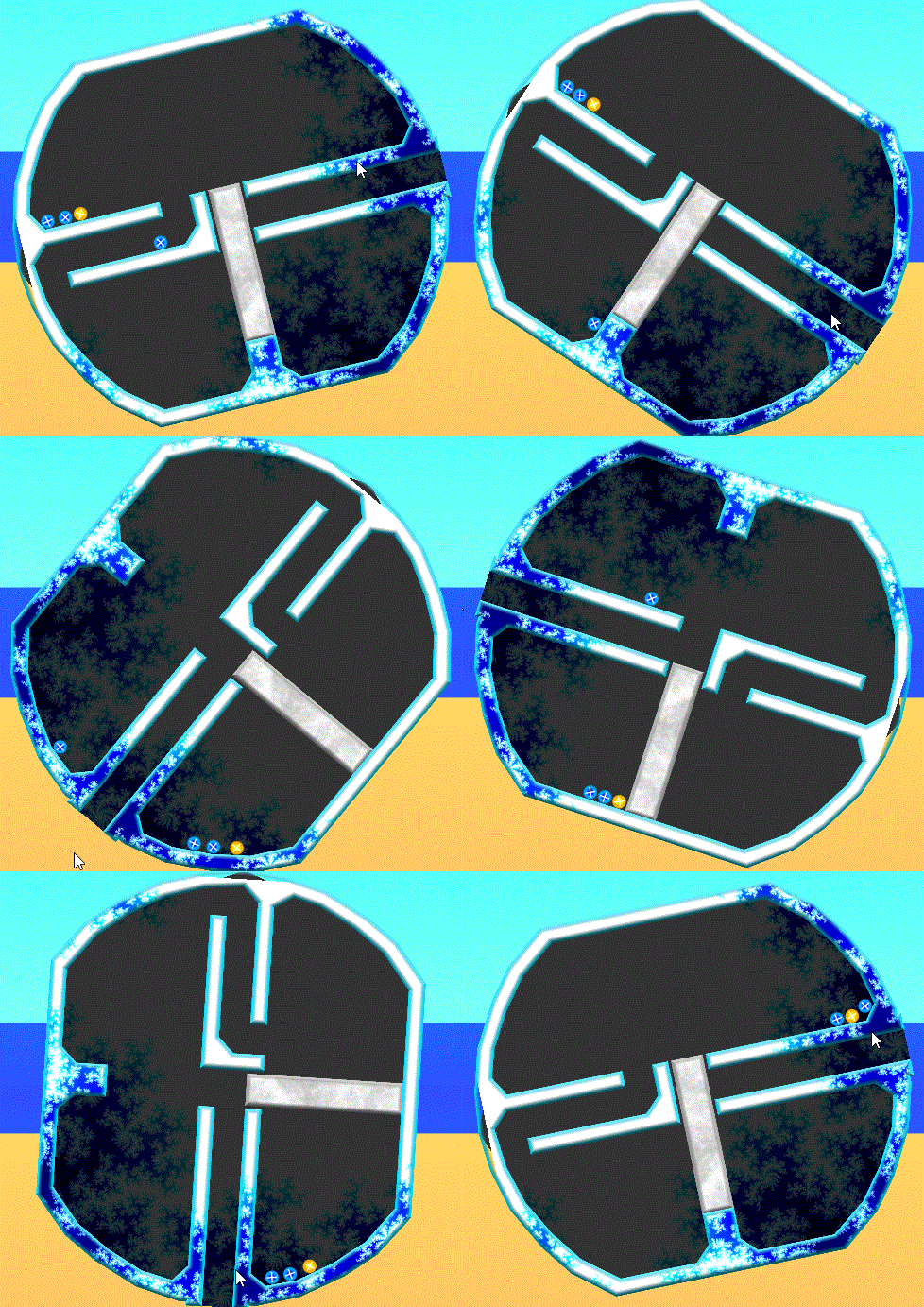
Paco and the Tumbling Seed Box

If you haven't been following Paco on Twitter, you may have missed out on some progress I've made with his tumbling seed box. Why does an imaginary bird have his own Twitter account? I have no idea, and he's not telling me why. He can't. He's imaginary.

In any case, the tumbling seed box tumbles! Check it out and try the preview. If you run into any issues, let me know! (Comment below or email Gopherwood). Currently it is only available as a progressive web app on our admittedly bare-bones game-hosting site. More plans are in the works to target additional platforms and prettifying the site, but right now it's a mystery (aka unfinished).

This is a self-funded, passion project of mine to create fun games that are reminiscent of what you might find in a child's storybook. Thematically, I also thought it would be fun to highlight endangered animals and use them as characters in these games, since, you know, our business is named "Gopherwood" and our logo (if you cross your eyes just right) is an ark. It seems fitting. (Related, I found inspiration from Joel Sartore's work with The Photo Ark - highly recommend checking it out.)

Paco is the first character and game to come to life from this idea. He's a Puerto Rican Parrot with three chicks that he's trying to feed. Yes, I know Puerto Rican Parrot chicks aren't yellow or red... ...I took a few game-design liberties: it'll all make sense when you play.

A big thank you to ARBIMON for recordings of actual Puerto Rican Parrots chattering. Adding their vocal ambiance to the game really brings it to life.

Also, thanks Todd. Your advice was critical.

One final note: this title captures a lot of the game-play from one of our very first games, Sand Trap. I go into a bit of the evolution here if you want to see a few early designs (with awesome prototype art).

Hope you enjoy the game!

Wednesday, May 06, 2020

Control the Mission at Mission Control

Bzzzz .... Come in Mission Control. This is Boop. Satellite parts are falling from the sky. I repeat, important stuff is falling from the sky: please advise. ... zzzzt.

Read the above in your best Mars rover voice, and you'll have an idea of what's going on inside my head when I play MISSION CONTROL. This is the last of the set of games we created for Ready Jet Go! Space Scouts. Players are tasked with putting together a control panel that covers everything from sucking up recyclables, to exploring Mars, to saving broken satellites.
Boop's magnetic personality really comes in handy.
I would post a picture of Gopherwood Studios's Mission Control where we succeeded in our mission to bring you Mission Control, but Todd's desk is too messy. (Todd, I'm writing this, so you have no platform to talk about my desk.)

In Mission Control, players add controls to a control panel to control Jet 2 (a robot), Boop (a Mars rover), and the Propulsion's spaceship (I don't know its name... ...let's call it Claire). Once the control panel is built, players use the panel they've created as the input controls to move around the map and complete goals.
Claire tidying up with a tractor beam.
That's it!

Or is it?

No, also, there's a satellite falling apart and asteroid vortexes, but you'll have to play to see what that's all about.

Jet 2 recycles... not like those other robots that litter the landscape with trash cubes.
We worked with Miles Tilmann to bring Mission Control to life (you might recognize some of his other work at PixelJam: it's fun too). Mindy was also a great help: with her eternally chipper demeanor and great all-around attitude, you two will get along nicely completing all those missions.

Bzzzzzzzzt.

Friday, May 01, 2020

Food Farmer Forever!

Do you love to garden? Do you wish you could grow a garden inside? Do you get impatient waiting for your vegetables to grow? Do you wish you could click the clouds so they stop blocking the sun's life-giving rays? Do you want to shrink into a tiny version of yourself to see what you're growing up close? Do you want to plant a garden on Mars? What about Mercury? Do you like eating carrots that are just as big as you are? Do you want to earn badges like "Prize Garden" or "Tons of Tomatoes" to honor yourself for your clever gardening skills?
Enough carrots to make 314 miniature carrot cakes.
If you answered "YES" to any of those questions, then we've created a gaming experience you will love: Food Farmer! You'll get to grow a variety of plants on a variety of planets. Woah.
Martian potatoes are the best potatoes. - Mark Watney
Each planet serves up it's own challenges: Earth provides rain, but Mars and Mercury require a full-time gardener on the watering can. You'll never run out of sufficient sunlight on Mercury, but you'll want to avoid giving your garden too much and cooking your vegetables before they're ready! Somehow aphids and bees made it into the Martian and Mercurian greenhouses: bees are super-helpful, but keep an eye on those aphids...

A big thanks to Miles Tilmann for his work in developing this game, and it was a pleasure working with PBS KIDS and Wind Dancer to bring this game to life! Check it out and let your kids play too.

Monday, April 20, 2020

Amazin' Amazon Adventure!

Todd and I have a lot in common with the Kratt Brothers. They're brothers and coworkers. We're coworkers. They love going on world-wide adventures to show animals to kids. I have a dog. Their cartoon selves have the coolest gadgets. Our cartoon selves would have cool gadgets if we had cartoon selves. They wear blue and green. We wear blue and green sometimes, too!

With that much in common, we were super-honored to help create Amazin' Amazon Adventure, a game about creatures, their unique creature powers, and the triumph of good over evil! (Stop stealing innocent creatures, Zach.)
Whiff!
For those who have followed us for some time, this may be a bit of déjà vu: back in 2013 we created Monkey Mayhem, another Wild Kratts title where the brothers navigate the Amazon Rainforest. Both games are 2d platformers set in the Amazon with characters using their Creature Power Suits to navigate an obstacle-filled jungle. That said, the direction on this most recent game focuses on more action-based activity and exploration, whereas the first was more about solving puzzles to make forward progress.
Ah! You're downside up!
We also took level generation to the next level with this title. Each level is a grid comprised of up to 20 unique level sections to create a unique experience with each play-through (unlike Monkey Mayhem, which had 3 unique sections per level). In addition to the variety of level pieces, the number of obstacles increases as the player progresses through the game, ramping up to a final generated level that makes use of all the player's creature powers.
From the top of the canopy to the bottom of the river, lots of Amazon to explore!
We had fun designing this game with the Kratt Brothers team and PBS KIDS, and we hope you and your kids enjoy the game and learn a bit about the amazing creatures in the Amazon along the way!

Friday, October 25, 2019

Build the Best Bases in Base Builder

Have you ever built a base on Mars, and then were all like, "Boy, I wish I could build a base on Earth too." Look no further; now you can! Base Builder offers the Moon, Mars, and even the Earth as potential building sites for all your base (are belong to us -- sorry, couldn't help it... ...and you knew it was coming eventually anyway). Watch out, though: it's not all fun-and-games (well, actually it is). There's wind, rain, meteorites, and proper architectural techniques to contend with to make sure your toy astronauts are protected and able to live, nay, flourish in these harsh environments.
I'm a world-renown builder of bases. No, I'm not.
This game captures the heart of the Space Scouts premise: a playful learning environment where you're free to experiment, make connections, and discover creative solutions to solve problems.

It's a mighty base that can withstand an onslaught of malevolent meteorites.
Try it out! And let your kids have a turn! This game was a blast to work on - a falling-meteorite-hitting-a-sturdy-shock-reinforced-astronaut-base blast to work on.

Wednesday, July 31, 2019

Ready Jet Go! Space Scouts - The Lab

It's here! A brand new app, Ready Jet Go! Space Scouts, is comprised of 5 games and an open-play lab that connects them all! Compared to previous Gopherwood Studios projects, this one was the biggest yet: we designed and developed Cooking School, Rover Maker, Base Builder, Mission Control, and Food Farmer each as a standalone game, and then created the Space Scouts Home Base, badge system, and Lab in the app itself to tie the games together and create a single fun and engaging experience.

The inception for the app started with my nearly-endless enjoyment playing with Fantastic Contraption and my fascination with Lego bricks. What if we made a game that incorporated the open-play of Lego but the more-directed play of Fantastic Contraption? Wait, what if we made a bunch of different games, but you could mix and match pieces between games to make new things? As we began working through the ultimate design for this app, addressing these game design questions and considering reward structure and educational goals, I began working on an early investigative prototype to flesh out the ideas a bit more, especially regarding an open-play experience that incorporates elements from different games.


The prototype was an open-play "Lab" that focused on a pin and strut mechanic. Early on, we found that this was a bit too clunky for our target audience and honestly quite frustrating on mobile devices. We continued to wrestle with the basic handling of game elements as the individual games were designed. Base Builder started with loose joints and floppy beams, which, after many iterations, ended with stiff joints and static beams to make game-play easier and more intuitive for our target audience. Rover Maker avoided beams altogether and went more of a building-block route from the onset: blocks snap together to create a rollin' rover.

As the game-play across titles solidified, integrating each of the games into the Lab proved to be a huge challenge. Base Builder and Rover Maker provided natural elements for the Lab, but Cooking School was an odd fit, and Mission Control and Food Farmer had completely different mechanics from the other three titles. Merging these into a cohesive whole required a bit of creativity.

Adding Cooking School ingredients was easy enough: playing with your food is fun. However, the kitchen tools didn't really have a place to be in the Lab, Gravity put them on the ground (which doesn't work well for various reasons, like the Mixer tool that outputs mixtures downward). They can't levitate like the game, because it looks odd and breaks the other games' elements in peculiar ways. Lastly, it opened new questions about what exactly can be processed by a kitchen tool? Astronaut dolls from Base Builder shouldn't, but what about Rover Maker wheels? Can they be fed into a Cooking School Chopper? Ultimately, we decided to add a "wall" block, identical to the Rover Maker blocks in functionality, but visually conveying the sense that kitchen tools could be "pinned" to them. Kitchen tools were then implemented to behave just like Rover Maker rockets and wheels: they can be attached to blocks and won't process other pin-able things like wheels.

Mission Control was tougher: it doesn't really have "pieces" of things to work with like the other titles. So for this game, I added Boop, the rover, and Jet 2, Jet's trusty robot, as items in the Lab. The Lab play area was also extended to provide more room for these two to go exploring and interact with other Lab items.

Finally, Food Farmer. Adding this game into the Lab focused primarily on the food, since we already had kitchen tools in place to process vegetables! In addition to the basic food items, their various cooked, sliced, and diced versions were added. Now players could cook their watermelon and pop their corn!


That's a bit of an overview regarding the Lab and how it came together. Check out the app and see what kind of awesome machines you can make in the Lab! I just thought of something...

Gotta run... ...I'm off to build a battery-powered popcorn-popping, five-wheeled toppling tower on the moon!

Monday, July 29, 2019

Cooking School and Delicious Martian Smoothies

What's more refreshing than a brand new game? A brand new game where you can mix up an ice-cold, delicious Martian smoothie, that's what! Check out Cooking School and help Mindy figure out how to arrange Carrot's kitchen tools to make an assortment of spacey and space-themed snacks!

Choppin', Conveyin', 'n Cookin'
This is the second game title that's also included in the Ready Jet Go Space Scouts app (Rover Maker is as well).

Delicious hoagie coming up!
Have fun and let us know what you think! Also, let us know if you cook up one of these recipes IRL: not sure these will turn out correctly using non-Bortronian, conventional kitchen appliances, but we're interested none-the-less.

A big thanks to Wind Dancer and PBS KIDS for letting us bring this game to life!

Monday, July 01, 2019

Make Rovers in Rover Maker

Wish you could design fancy rovers to rove around on other planets like Mars? Or other moons like Europa? Wish no more! Just play our latest game, Rover Maker, and make your friends, kids, and rover-making scientists jealous with your creative rover creations. Actually, don't make all those people jealous. That's not very nice. Just share Rover Maker with them so that they can also make creative rover creations. There are plenty of rover parts to go around, thanks to Ready Jet Go! and Sunspot and Sydney's endless supply of rover-making resources.

Hmm, might need to revisit this design.

There's a lot of free-form open-play in this game to really use your imagination as you create rovers to address the terrain and other obstacles of each planet and moon. Rovers can be powered by gravity, wind power, solar power, batteries, and even rockets, as you try to match your rover's capabilities to the level's layout and navigate Sunspot across the level to Sydney waiting patiently at the other end.

Whoops. I'm a game designer. Not a rover designer.

Why are you still here?!? Go have fun; let's see what you can make!

Thursday, February 22, 2018

Sand Trap 2.0

One of our first successful HTML5 games was Sand Trap, a casual game Todd and I developed over the course of a month for a competition. Todd created the pixel art and designed levels, I created sandy physics, and we conscripted my brother-in-law to compose a chill guitar loop for ambiance. We placed 7th in that competition, but then submitted it shortly thereafter to another competition and placed 1st. It probably helped that it was one of just a small number of games in the nascent HTML5 mobile games space.

I've decided to revisit this little game and create a new version, Sand Trap 2.0 -- working title 😁. (Emoji are allowed in blog posts, right? Or is that a digital faux pas?) Here are a few animations of the prototype with my awesome programmer-needs-a-placeholder-for-this-object art.

Things are looking a lot less sandboxy.

The core mechanic will be the same, mostly.

This one may hit the cutting room floor, but it's totally poppin'!

Not the most difficult labyrinth to navigate...

Why Sand Trap? Why not All the King's Men Entanglement? That's a story for another time...

Thursday, November 02, 2017

Entanglement Leader Boards

Entanglement has been online since the summer of 2010 (fun flashback here). Back then, we did a few things right, but in retrospect we did a lot of things wrong. One of those was the leader boards.

We must have a problem with digital hoarding.
Early on, we decided to store every score. Not sure why. We now have approximately 15,000,000 scores. Most of which no one cares about or is even able to see. For perspective, if you were to take 15 million cans of soda and dump them into the Grand Canyon... ...that would be environmentally irresponsible - don't do it.

We also stored a lot of data about each score: the score, the number of line segments, a validity check, the map it was on, the player that made it, the time it was entered, the current temperature in Hickory, NC... ...you know, a lot.

Deciding that keeping 15,000,000 scores indexed in our database is ridiculous, I'm revisiting how the scores are stored. A few years ago, I cleaned things up by dropping all scores below 50 points. I had also connected Google Games at some point to handle scoring, but its implementation in Entanglement was half-baked, so that's currently being rolled back. I've finally settled on another alternative. Rather than storing all the scores ever, it's now storing a single score for today, this week, and all time for each player. This is much more sustainable and makes loading the leader boards a lot more snappy!

This has had the biggest impact on how the Daily Challenge leader board works. It was designed to show the last 7 days of scores. As such, it has been the primary reason score storage hasn't been completely changed up to this point. To make the Daily Challenge work with this new method, it no longer stores leader boards for each day. Rather, it stores today's leader board, and at the end of the day each player is awarded points according to where they placed on that day's final leader board. These points are added to their weekly and all-time scores. The Daily Challenge Champion is awarded 50 points, other players in the top ten are awarded 10 points, and all other players receive 1 point for participation.

I've already run this algorithm on the past 7 years of Daily Challenge scores, so check out the all-time leader board to see a few really good players.

Tuesday, October 24, 2017

Entanglement Board Game Crowd Sale!

It's here! Today the Entanglement Board Game is available for purchase over on The Game Crafter. For the next two weeks, it's available as a crowd sale, which basically means that the more folks that buy a copy, the cheaper the game is to purchase for everyone!

Entanglement's list price is $39.99, but is currently available for $34.99 as the initial sale price. If there are sufficient sales, it may drop as low as $24.99!

What is Entanglement?

The board game is based on the web game of the same name. You're creating an elaborate garden labyrinth by placing one tile at a time, connecting a meandering path of twists and turns.

You have a limited number of tiles to play, but you can create a longer path and a larger garden by winding through Sakura trees: each pass acquires additional tiles for your expanding garden.

Should you risk your limited tiles to set up a valuable move, divert your opponents' paths away from the Sakura trees, or focus on an easy path through another Sakura tree? Weighing what to pursue when provides a mental challenge for those who hope to master it.

How is it different than the web game?

I've deliberately changed a few game rules to fit better for table play, but all the components are there if you really just want to experience a real-life version of the digital game. Here are the major changes:
  1. The board game focuses on the limited-tile play of the Sakura-flavored Entanglement maps, not the boundary-based maps of classic Entanglement. This change makes initial setup much easier and prevents pre-placed tiles from shifting off-grid when they're not adjacent to other tiles (as described here).
  2. Sakura tiles are dealt into players' hands instead of being pre-placed on the board. (This is for the same reason given in #1, and also adds a little more strategy and variety.)
  3. Scoring is based on the total length of completed lines instead of on the length of individual moves. This change helps the game move a bit faster, since tallying scores like the web game isn't terribly fun to do manually.
  4. The lines are thicker, and they don't glow. The thin lines were confusing to follow visually, and I didn't want the game to be radioactive.
If you want to check out the board game's rules, you can download a free copy here.

What's included?

A bunch of hexagons! Yay!

There are 6 colored tokens that are used to trace players' paths and a set of 72 hexagon tiles: 1 start tile, 6 sakura tiles, and 65 randomly-generated path tiles. (It is the same set of path tiles in each box, so buying another box won't introduce a new randomly-generated set.)

What does it look like?

The look and ambiance of the web game is quite peaceful. That said, I wasn't able to bottle up the ambiance and include it in the box. You will need to provide your own Zen garden and maybe grab the Entanglement sound track. Here's a bit of the art that is included.


I've been impressed with the overall quality of the physical tiles produced by The Game Crafter, but I cannot show that here very well.

Why a crowd sale?

I decided to go this route for several reasons.

My first thought was Kickstarter, since it's super-popular for indie board games, but after a bit of investigation I found that, as such, there are also a lot of implicit expectations. Most of the best performers seem to include several tiers of awards and other extras as goals are met. This, along with the initial production of the Kickstarter campaign, keeping up with everything during the campaign, game production, and order fulfillment, proved to be a bit more management overhead than I was prepared to invest.

My second thought was print-on-demand. It's low risk, no campaign to manage, no unsold inventory to store, and no in-house order fulfillment. I've ultimately chosen this route, but unfortunately it's a bit more expensive and order fulfillment takes a bit longer. (They have to make it before they ship it!)

Due to the print-on-demand cost for a single purchase, I had considered pinning together a web-based ordering system to group multiple purchases together so multiple copies could be printed at once (and therefore reduce cost), but then I realized my print-on-demand provider had already thought of that. Woot! Thus the crowd sale. It essentially takes a bunch of print-on-demand orders and turns it into a single bulk order, reducing the price for everyone.


In any case, check it out and see if an Entanglement Board Game is a good fit for you... ...or someone special this coming holiday season!

Tuesday, October 17, 2017

Entanglement Released on Steam

Today's the day! Check out Entanglement on Steam. It includes 12 maps plus a Daily Challenge mode:

    Classic Entanglement
    Sakura Grove
    Hana Blossom
    Lotus Petal
    Clover
    Lovely
    Honeycomb
    Raceway
    Desert Trek
    Tranquility
    Sakura Blossom
    Sakura Garden
    Daily Challenge
Up to six players can play head-to-head in a hot-seat multiplayer mode, and the game is available for Windows, OSX, and Linux in 25 languages. Vključno s slovenščino.

Enjoy!

Thursday, October 12, 2017

Entanglement on Steam!

Over the past two months I've been experimenting with NW.js, a tool that encapsulates web-based apps as executable applications. Using nw-builder, I had a working "native" app relatively quickly, but I did have to spend a bit more time making sure app icons and application menus behaved correctly across platforms. (I intend to post one or two of my technical solutions to these issues over the next few weeks.) The end result is that the code-base for the native app is essentially the same as the online version, so any updates appearing in one should eventually appear in the other.

Once I had viable builds for Windows, OSX, and Linux, the next logical step was to explore distribution. Steam seemed like a great marketplace to explore. I've been on the consumer side of the system, but trying to get something put out there on the seller side of things seemed like a fun learning opportunity.

After paying the initial $100 game submission fee and downloading the SDK, I wandered around the Steamworks site for about two days (with no water or shade!) trying to figure things out. There are plenty of knobs and buttons and features available, but thankfully Valve provides a convenient checklist to go through that made my initial experience much more purposeful. Had it not been for the checklist, I may have been wandering for weeks.

In any case, Entanglement is now available on Steam! Well, not immediately, but it releases on October 17th! Unlike the web version, all maps will be immediately available for play: Classic, Sakura Grove, Hana Blossom, et al. Visit the community page and let other folks know what you think about Entanglement! Unless you think really terrible things about Entanglement... ...in that case, let other folks know what you don't think about Entanglement...

Thursday, September 28, 2017

Board Games Aren't Video Games

At first glance, creating a board game seemed pretty easy: I already have the game and the rules, so all I need to do is make things printable and, presto, a fun board game!

Now I'm a few weeks in, and I'm developing a healthy respect for good board game design and all the board game designers who make them. I've run into an assortment of discoveries, although obvious in retrospect, that might be worth sharing.

Real-life assets cost more than digital assets
When I first began designing the board game, I started with the largest hexagon tiles The Game Crafter had to offer. In my mind, Entanglement tiles have always been large. In the online game, there's not really an absolute size or reference to compare them to: they just auto-resize themselves to make sure the whole map fits onscreen. But deep-down, I knew they were at least the size of Catan tiles, maybe much bigger. Maybe they were over-sized garden stepping stones in a Sakura Grove somewhere, and you could actually walk on them and follow a path to some remote destination.

Digital works just fine that way, but in real-life each tile comes at a price. I quickly realized that Entanglement became really expensive with large tiles. So I trimmed the tile size down a bit, and the price-to-content ratio seems a bit more reasonable now.

Different media require different visuals
This was a quick and easy discovery. I already knew about printing offsets due to thoroughly reading The Game Crafter's online documentation, and made sure I used their templates with plenty of bleed room and the like. Aside from that, I pretty-much mimicked the web game's tile style.

I ordered the first set of Entanglement tiles from The Game Crafter, thinking at most I may need to update the paths to make sure they match correctly on all 6 sides. That turned out just perfect, but my other assumptions didn't.

I found that the thin lines didn't look great and could be a bit confusing. Especially since they didn't light up or do anything fancy when they're connected (print is so 20th century). So for my second run, I thickened up the lines and they look much nicer.

Real play is sloppier than digital play
This should have been a no-brainer. Coming from a job where I deal with math and numbers and precise values, anything sloppy is probably a bug... ...and finding bugs requires testing. Interestingly, I was so confident in how solid Entanglement's game-play is, I hadn't thoroughly tested the real-life version. Why check and change the rules if things work so well already? That was a mistake.

I decided to record a game to have snippets for an online promo, so my boys played with me. We started by placing the starting tile, and then placing the outer wall. That was a feat: we never seemed to be able to get all the wall tiles to line up in that classic Entanglement hexagon, the start tile never seemed to be in the exact center, and setting it all up wasn't particularly fun.

Finally, once that was out of the way, we began playing. And the tiles moved. A lot. It wouldn't have been that terrible in of itself (map-building board games tend to have this problem), but when the growing set of tiles played out from the center start tile rotated ever-so-slightly, suddenly all 24 of the pre-placed wall tiles were in the wrong positions: the game-play grid had virtually moved without the walls moving along with it.

So after some additional real-life play-testing, I've decided to take the game in a Sakura Grove direction. Like the online Sakura Grove experience, this variation of play doesn't require walls: this allows players to jump right into the game at the beginning -- no more tediously laying out walls of tiles and no more "OCD Derek" rearranging tiles during play to make sure tiles and walls always line up.


There have been a number of other things I've learned, and I'm sure I'll learn more on this journey. This journey down a tangled path, with so many paths to choose from...