Showing posts with label html5. Show all posts

Tuesday, August 15, 2017

Mission Earth

We don't usually fancy ourselves as astronauts, but the past few months have changed our trajectory forever. We've been won over by the Propulsions, an alien family of travel writers, and have decided to help them show Earth's exciting features to the curious populace of their home planet, Bortron 7.

Mindy's on a mission.

Although this didn't involve us flying into space, which we're pretty bad at, it did involve us making a game, which we happen to be good at. Introducing MISSION EARTH, an exciting platformer that encourages you to snap photos of interesting Earth features and transmit them to Bortron 7.

She has a keen eye for photogenic animals.

Once you give it a try, you should probably let your kids play too: not only is it fun, there is a big helping of discoveries just waiting to be made by explorers everywhere.

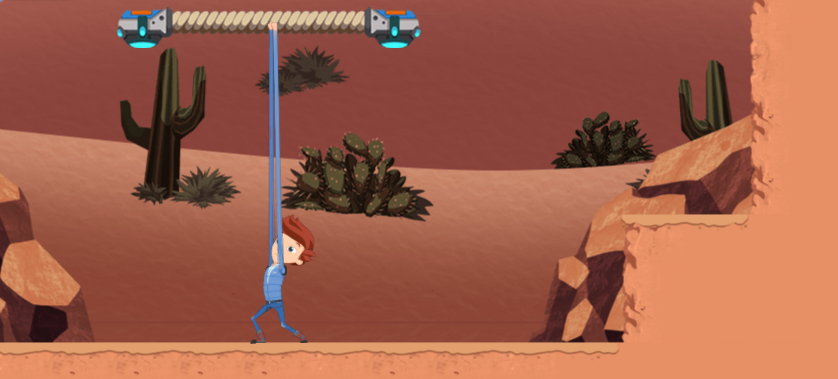
Jet's arms are just a little stretchier than regular-ole Earthie arms.

We've really enjoyed working with the teams at PBS KIDS and READY JET GO to bring this game to life. Let us know what you think!


...unless you're thinking about something that has nothing to do with this blog post. In that case, don't let us know what you think.


Actually, I am just a little curious. If you read this post and are thinking of something entirely unrelated... ...maybe it's important - you can go ahead and let us know.


On the other hand, it probably isn't any of our business or the Internet's either. Feel free to keep it to yourself.

Friday, March 31, 2017

A Subterranean Search for Fossils

We're happy to announce that our latest game, Fossil Finder, has been released on the PBS Kids Dinosaur Train site!


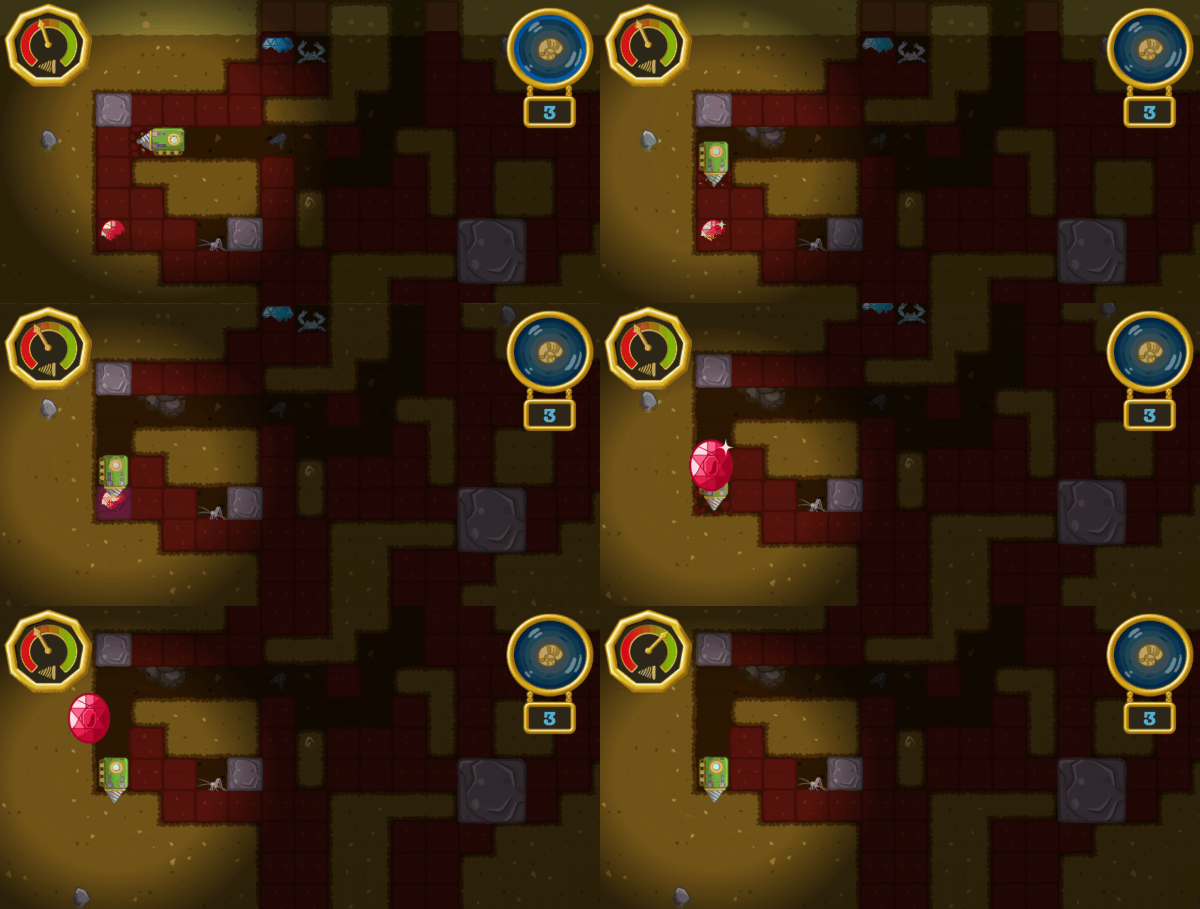
Fossil Finder sends kids underground in the Drill Train in search of fossils! To make finding fossils even more fun, the Drill Train has been equipped with a Fossil-O-Meter that lights up as the train gets closer to a fossil. Just follow the meter to the fossil and dig it up!


Watch out though, your drill wears out as you dig! Drill too much and your drill will break and force you to return to the surface! Thankfully minerals can be used to strengthen your drill allowing you to drill even more. The stronger the mineral, the stronger your drill will be!


If you need some extra help finding fossils, you can always ask the local Troglobites. These subterranean dwellers will point you towards nearby fossils. Just follow the arrows!


Now, head on over to see how many fossils you can find!

Tuesday, January 03, 2017

Cat in the Hat Website Refresh

We recently had the pleasure of working with Penguin Random House and PBS Kids to revamp the PBS Kids Cat in the Hat Knows A Lot About That website. The primary goal of the revamp was to create a responsive site in HTML5 that worked well on desktops and mobiles, all while capturing the charm of the Cat in the Hat universe.

The previous website was a tough act to follow. It did an excellent job of highlighting the characters from the show while displaying the site content in exciting ways. However, as screen sizes have grown (and shrunk in the case of mobiles) it was in need of an update both technically and in terms of modern web design.


For the landing page, we decided to retain a similar layout to the previous site, but remove the borders allowing the content to fill the page. This layout shifts as the screen grows or shrinks in size ensuring that it always looks good.


On mobile devices the landing site transforms into a vertical format that is easy to navigate via touch by visitors of all ages.


For the games and printables page, we designed the page around a Seussian machine that pumps out the site content in a joyful manner. The conveyor belt of content shifts via buttons or touch scrolling allowing visitors to access content in an easy, playful manner.


Even the video page got an update with a unified but flexible layout for mobiles and desktops.


It's always intimidating working on the website for a beloved property. There are so many goals that you're trying to accomplish all at once, technically and artistically, all while trying to retain to spirit of what makes the property so loved. It can feel like a juggling act. We loved working on this project and we hope that we managed to capture and share some of the magic that makes Cat in the Hat such an enduring character. If you want to see the site yourself, you can check it out here.

Tuesday, June 21, 2016

Rail Rally Release!

Do you love dinosaurs? Do you enjoy trains? Do you find yourself daydreaming about bezier curves? Do you wish that you could experience all three together!?! If that's you (and I am quite sure it is since the you not reading this wouldn't be the same you reading this), we have just delivered on your dream!

That's what we do here at Gopherwood Studios. We make dreams come true. Not all dreams, mind you. Just dreams involving things we're making come true, obviously.

What? Racing against a Zeppelin!?! Is that fair?
Behold Rail Rally! In this prehistoric adventure, the Dinosaur Train chugs across the serene hills of the Cretaceous, racing against three other formidable Troodon inventions: the Solar Train, the Rocket Train, and the Zeppelin. Test your train engineer mettle as your trusty train chugs along the rails, passing bonuses along the way that boost you past your opponents!

After you've finished trying out all four vehicles, give your child a chance to play too. All kids love HTML5 games. Mine do. They're always saying, "If it's not HTML5, it's not really a game." Not really, but one day they'll understand the wisdom of their father's words.

Thanks to the awesome folks at Jim Henson's Dinosaur Train and PBS KIDS for giving us the opportunity to make this dream come true, for you!

Wednesday, August 19, 2015

Lightning Runners

Todd and I had a blast working on Heartbeat - Lightning Runners; check it out! Developed in collaboration with Digital Eskimo for the University of Western Sydney, this puzzle-platformer is aimed at addressing health and culture with aboriginal children in Sydney, Australia.

AAAAaaaah! It's a Dooligah!!!
We designed unique puzzles for each level, so progress involves avoiding baddies as well as solving problems related to health.

Kuti wonders, "What could be wrong? And why is sewage pouring into the wetland?"
Also, unlike any game we've made up to this point, this one has a ferocious end-game boss!
If you think this is ugly, wait until he starts spitting phlegm.
Hope you enjoy the game, and let us know what you think!

Friday, May 01, 2015

Dev Log #4: Cannonball Z

If you played through the alpha then you probably already saw the cannon, but I figure I'd ramble about it anyway since it's a fun object.

The cannon idea came from wanting a new moving object to manipulate with our transforms. Cannons seemed like a good idea because cannonballs have a simple movement pattern (in a straight line until they hit something) that is predictable when transformed.

So, we can do things like this.

(Yes, the smoke trail is buggy, grr!)

The cannons themselves can also be transformed so that we can shoot in different directions.


We've made it so the cannonballs interact with other objects. They can be used to knock down walls.


They can press triggers.


And they can interact with the sheep. Though the sheep doesn't seem to enjoy it. :'(


Since cannons can hit triggers, they can even shoot other cannons. :)


Right now all the cannons are trigger-based, but we thought about having a version that auto-fires so that every puzzle that has a cannon doesn't require a sub-puzzle revolving around pressing the trigger.

Once again, we still have some things we're debating about with regard to the cannons. The main question being whether they should be cannons at all. Since the game is supposed to be in a magical forest (which is not well established by our current art) cannons don't make a lot of sense, but, everyone understands how cannons work, so it's easy to use that as a crutch. The question is, can we find something to replace them that fits in the world thematically while still being easy to grok. It's easy to think of a Mario Piranha plant-like cannon, but that feels like we're stretching, but grasping the next most generic thing. If you have any ideas on what we could replace our cannons with, we're open to ideas.

Hmm...maybe I went a little heavy on the cannon gifs...

Thursday, April 23, 2015

Dev Log #3: A Time to Break Down, and a Time to Build Up!

After working on the self-destroying wall, I thought a natural follow-up would be a growing wall. Again, I'm stealing liberally from Kirby here.

This is really the same idea, just in reverse. We start out with all the wall blocks placed, but only the starting block is visible/collideable. When the wall is triggered, it creates a hitbox that triggers all the adjacent blocks in cardinal directions. These again have a fuse timer so that there is a cascading effect.


One unique trait to growing blocks is that they can cut each other off. So, if two sets of growing blocks cross the same part of the level, the order in which they are grown will determine their final shape. We hope this will force players to think a little more about the order they trigger switches.

Hit the switches this way one way and you get this result.

Swap them and you get this result.

A couple unresolved issues with growing blocks are collision and visualization.

Since we are introducing collision on the fly there is always the potential of something being inside the collision when it is created. We currently don't have a clean way to handle this. Destroying the colliding object wouldn't make sense since we're making a puzzle game and won't have extraneous pieces that should be removed. Shifting the overlapping object out of the collision is a better idea, but that tends to look a little junky and in general we'd prefer to avoid that situation. Our current solution is simply to avoid placing objects such that they can get caught inside collision. We'll see how long it is before we break that rule. :)

As far as visualization, right now the 'soon to be grown' blocks are hidden. I'm not sure if that's a good idea or not since the player will have to guess and check to see how things grow which may be fun or may be annoying. We could always show semi-transparent blocks instead of hiding them completely or have the backgrounds inform the player of where the blocks will grow.

Anyway, those are our thoughts at this point, if you have any suggestions on how to handle the collision or a good way to visualize the growing blocks, we'd love to hear them.


Wednesday, April 22, 2015

DevLog #2: Boom!

We've got most of the basic shifting/flipping/twisting functionality working, so we've started shifting to level design and obstacle creation.

One obstacle we've been working on is a simple switch-gate mechanic. Rather than go for a typical gate, we decided to steal liberally from Kirby and have switches that destroy clusters of blocks.

It looks like this!
The big benefit of this is that rather than having a fixed size/shape of gate, we can create whatever shape we want out of a series of blocks.

Even crazy stuff like this!
The mechanics behind it are straightforward. We have one or more start blocks, which are linked to the switch. When the switch fires the start block explodes and a circular hitbox overlaps the adjacent blocks in the cardinal directions. These blocks have a fuse timer, which when exhausted causes them to explode and trigger their adjacent blocks.

You end up with an attractive cascading effect (which will look nicer when we have real animations and not my ugly ones!) and a flexible system that can be used to create destroyable terrain of all sorts of shapes.


Monday, March 30, 2015

Development Log 0: The Shifty, Twisty Forest

We're starting a new game of our own! We decided that we liked our Shifty, Twisty Forest prototype enough to try fleshing it out into a full game. We're going to post regular (or irregular) updates on the development of the game so you can see how things are progressing. So, drop in every once in a while, check it out, and chime in with your opinions.

Here's a quick summary of our progress so far:

We'll get a real artist eventually.

Renovation
We started development last Monday and our main task so far has been taking a quick and dirty prototype and turning it into an upstanding and respectable piece of software. The most obvious example of this is changing how our transformations (the 'Shifty, Twisty' in the title) look. In the prototype all of the rotations, mirrors, and translates were instantaneous. Instantaneous is easy to program, but it's ugly and made the gameplay confusing (particularly mirroring). So we're in the progress of turning all our instantaneous transitions into gradual ones. Here's a gif example of a horizontal flip (it's smoother in game):

See, it's working great...oh wait!
Ok, so maybe they still need some work...

We Are Liars
In process of reworking transitions, we discovered that we are liars. Some of you may have already known this, but this was a revelation to us. Seriously though, we realized that we had been lying to ourselves about how transformations affected the objects we were transforming. In the prototype, we had represented everything in 2D using position and angular orientation. As soon as we started on smooth transitions, it became obvious that we were going to need to use 3D transforms to accurately represent the transformations. (This led to another revelation...3D math hurtz my brane!). So now we're reworking the transformations with that in mind and adding all of this to our engine so that any future games will able to take advantage of it.

+1 Programmer Art of Less Terribleness
Our final big change was revisiting the art. We decided to increase the size of character and tileset so things would be playable on mobiles. In the process we took another stab at making art. Ultimately, we're going to throw away all of the art and have a real artist do it, but Derek and I both enjoy making art and I think it helps us figure out what we want the final game to look like when we get in there and try to do it first.

The old version: functional, but drab.

So yeah, that's where we are right now. Let us know what you think.


Monday, March 23, 2015

Platypus 'Piler Plugins

Totally excited. Totally.
While working on games over the past few months, we've slowly been augmenting and bettering Platypus, the open-source HTML5 game engine that we co-created with PBS KIDS a few years ago. I'm really excited about a new compiler plugin system we created and I want to share it with you. My wife says I rarely get excited, but she also doesn't watch me code. WOOO!

Each game we develop brings its own set of challenges and requirements. When we've developed games for PBS KIDS, for example, audio is a big deal since there tends to be a lot of voice-over to guide children and buttress the educational experience. However, with a game like Entanglement, supporting multiple languages is a priority since the game is a popular past-time across the globe.

With this in mind, we created a plugin system for the Platypus compiler, so that unique games can include just the pieces they need, and, more importantly, developers can extend the compiler easily to handle new and creative use-cases we have yet to comprehend.

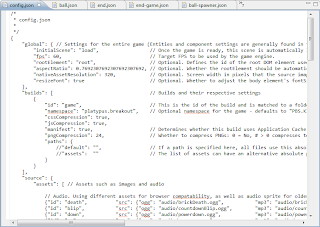
Since Platypus is an HTML5 engine, its compiler is written in JavaScript. Makes sense, no? We've taken the original Platypus compiler and broken it into a series of super-cool plugins. These are all enabled by default, but don't do much if their respective flags aren't set in the game config.json file. The list of plugins can be changed in the global game settings as shown:

"global": {
    "initialScene": "load",
    "plugins": ["js/pngquant-plugin.js", "js/manifest-plugin.js", "js/scripts-plugin.js", "js/language-plugin.js", "js/assets-plugin.js", "js/compression-plugin.js", "js/write-plugin.js"]
},

So what do the plugins do? Glad you're curious! Here's a quick overview:

  1. pngquant - This plugin uses the pngquant compression utility to compress PNGs. You can set how many colors each image should have, and this plugin rolls through the list of assets, smashing PNGs into significantly smaller files.
  2. manifest - This plugin tallies all the assets and creates an application cache for your game. It even handles editing an Apache .htaccess file with mod_rewrite rules so that it can cache the correct audio assets for different browsers!
  3. scripts - This plugin grabs all the JavaScript and JSON files and puts them into a single file for a faster download. It also does the same with disparate CSS files.
  4. language - This plugin uses a language table to create unique language builds for localization. It's a template system that replaces {{language-keys}} in the code with appropriate localized text. It also handles mod_rewrite's to pull the correct index.html if you choose to have multiple languages in a single build. (Alternatively, you can specify to produce multiple single-language builds.)
  5. assets - This plugin copies assets from the source files into the build locations.
  6. compression - This plugin uses the YUI compressor to compress the JavaScript and CSS files.
  7. write - This final plugin handles writing the various scripts, style sheets, and manifest files to the build locations.

The new plugin-based compiler is not yet available on the PBS KIDS Platypus source, but you can get a sneak-peek on the Gopherwood fork

Monday, March 16, 2015

I Am Sorry. We Made Another Prototype

Derek and I want to sincerely apologize for the fact that we have made another prototype. We can't help it, it's too fun! So, check out Buzz and see what you think.


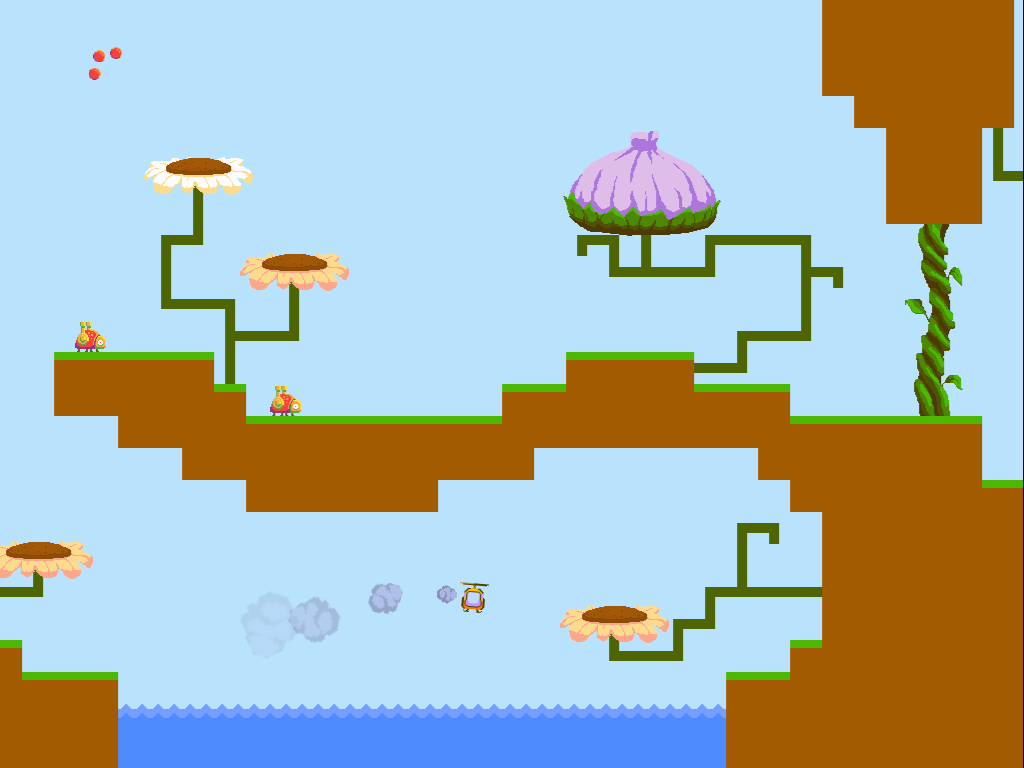
We're honestly not quite sure what it is and which direction it might grow. Right now it's a little bit physic-y, a little bit shooter-y, and a little bit nature education-y. It's also a little bit dodgy, but given that it's a prototype we weren't too worried about that. Instead, we were focused on exploring the game space that the intentionally-challenging controls afforded.


From a development perspective, Buzz has been a lesson in player capacity. I have been thinking about the idea that every player can only juggle so many tasks at once. Too many and the game becomes overwhelming and frustrating. With Buzz, a lot of the player's focus is used up controlling the helicopter. Because the controls are complicated we have to avoid overwhelming the player with other tasks/obstacles in the game. The best additions are elements that overlap with what the player is already focused on. These ideas are what led to the beetle enemy and the challenge of carrying the pollen crystal between flowers.

We're considering expanding Buzz or Shifty Twisty Forest into more fleshed out experiences. If you have opinions, questions, or comments about either, feel free to leave a comment.

Wednesday, March 04, 2015

The Shifty, Twisty Forest

Wow, that forest is just the shiftiest!
Todd and I spent the past few days putting together a game prototype: check it out! The Shifty, Twisty Forest is a story, err... ...game, about a turtle finding his way through a forest - a very blocky forest with locked yellow doors. Help him get to his destination by shifting the forest around!

We created 12 levels to explore the concept and to see whether it's fun. After you've had a chance to play through it, let us know what you think! Does this game deserve more levels, better art, and a real story line (unlike the stream-of-consciousness that caused the confusing backdrop)? Or should we leave the poor forest alone and not make it twistier and shiftier?

Here's another screenshot in case you haven't time to spend on such frivolity but like to look at things and stuff.

Monday, November 24, 2014

Rescue Ecotopia!

Have you ever wondered what would happen if someone removed almost all of the fish out of a lake?
Hacker, Buzz, and Delete carelessly pollute Ecotopia...
CHAOS. First, storks would eat up the very last few, just to survive, and then fly away to find a better lake. Then, the poor crocodiles wouldn't be able to find anything to eat in the lake with all the fish and storks gone. They'd wander into the forest and mangrove, munching on anything they could find! They might just eat all of the mudskippers flopping through the mangrove, which would terribly upset the mangrove goannas, having their snack taken away. Once there are no more mudskippers, both the crocodiles and the goannas would have to leave, and soon 5 species are gone, just because someone removed some fish! Who would do that!?!
The lake needs another crocodile. Because crocodiles rock.
Find out in our latest HTML5 game for Cyberchase - Rescue Ecotopia! This systems-thinking game was designed in collaboration with the awesome team at WNET. It was great fun making it; we hope you enjoy playing it!

Tuesday, December 31, 2013

Explore the Story

A trip by mule-back makes me appreciate my '76 Datsun
We wish you a Merry Christmas and a Happy New Year! A few months ago, we worked with Forest Hill Church to bring another game to life. They just released the game the weekend before Christmas, so we wanted to share a bit about it now that it's live. We were excited about this opportunity for several reasons:

  • They're local! Interestingly all of our work until this project came along has been out-of-state or international. This meant a few more face-to-face meetings than we're accustomed to, so we shunned our caveman apparel and studiously domesticated our facial hair.
  • Another Platypus project! We designed a front-end game as well as a back-end game editor that allows the staff of Forest Hill to add new stories to the game. We used Platypus as the backbone for both of these interfaces, giving us a lot of interesting use-cases to further strengthen the engine.
  • It's Sunday School++! We loved that the church had a vision to try something new. We created the basic framework, but the Kids@FHC staff will be making the individual games, so we're excited to see the stories and experiences they create with the tools we made.


The Game

Can you find the telephone booth?
Explore the Story is a seek-and-find puzzle where children can select one of several stories to play through. Each story consists of an environment with several hidden items to find. Once an item is found, children answer a few questions about the artifact to score points.

This game is unique in that it uses photographs of the kid's auditorium as the game environment, and each artifact is physically hidden on stage for the photo-op. This presented interesting challenges while designing the game, since an artist can make art that fits a game perfectly, but photos aren't quite so flexible. For example, small hidden items in a photograph become nearly indistinguishable from a distance, so we updated our design by including close-ups. This alleviated the small artifact problem and also gave the game a deeper experience, allowing children to explore the environment in more detail.

For this game, we neglected the HTML5 canvas route we typically use for more animated experiences and strictly used the DOM and CSS. This allowed us to take advantage of hardware acceleration on many mobile devices by using 3D transforms for the visual effects.

The Editor

Archeologists uncover Goliath's armor near Charlotte, NC
In addition to the basic game framework, we created an editor through which the church staff could add new stories to the game, including pictures for the environment, artifacts, and questions to accompany the artifacts. Creating the editor was a bit of a new experience for us, since we typically work on front-end game development, but we're pleased with how it turned out.

We built in a few tools to make creating and editing a game an easy and fluid experience:

  1. We neglected the traditional page form submit in favor of a responsive XHR model. As rooms and artifacts are added and edited, a server-side JSON file is updated to reflect the current state of the story.
  2. We made soft limits on text input: if the text field content is getting too long for its respective place in the game itself, the text field background color becomes yellow or red to signify that the length may be too long.
  3. We created a visual room selection module so that picking the right room for an artifact or room-to-room navigation is intuitive, without unnecessarily naming rooms to use as references later.

Conclusion

Check out the game and give it a whirl. And if you live near Charlotte, NC, you can visit Forest Hill Church and see it in real life!

We would give you a link to check out the editor too, but, you know.


Friday, December 13, 2013

The Components of a Platypus: An HTML5 Engine Mid-Mortem

The Platypus engine is Gopherwood's first foray into the world of component-based design. The engine has a long life ahead of it, but as a sort of mid-mortem we thought we'd take a second to share our reasoning for going the component-based route and how we feel about the results so far.

Components. Kinda like Legos, but less painful to step on.
When we first got the go ahead to put together an HTML5 engine for PBS Kids the first thing we did was fish around for a proper design template for the engine. When a talented programmer friend recommended we look into a component-based design, we did exactly that. For those unfamiliar with the model, the idea is that game entities are made of a simple object whose functionality is fleshed out by adding a collection of objects called components. These components are designed to function independently so that they can be added/removed/replaced with impunity. After a little research into the design we were convinced by a few arguments we found.

Arguments for Components

The first argument for a component-based design was an argument against using the more popular class-based design model with JavaScript. JavaScript is not a class-based language and doesn't lend itself to a traditional class-based design model without some finagling (that's a technical term). We felt that a component-based design fit more cleanly in JavaScript's design tenants. By starting out with a design model that better matched JavaScript's nature we felt that we would benefit by doing less working against the grain.

Another benefit we saw for avoiding a class-based design was to get away from the bloatedness (another technical term) of inheritance. With engines that use inheritance, you often inherit from several standard classes when you are creating a new entity. In the process you often inherit more than you need for what you're doing. This is because each new entity has special cases that requires small revisions and additions to the standard inherited classes until eventually these classes are bloated with functionality that is useless in most situations. Component-based design is in some ways a form of hyper-multiple-inheritance, in that each piece of functionality (logic, ai, physics, etc.) is 'inherited' from a component. The difference is that each component is designed to work discretely, meaning that special cases (and the bloating they tend to cause) can be dealt with using a unique component while the rest of the components remain standard issue.

Finally, because all of an entity's functionality is found in its components, the argument stood that it would be easy to quickly assemble new entities from existing components and reuse components.

The Good Side

You mean we aren't unique?!
So did it live up to all the promises? For the most part, yes. We've been very happy with the ease of developing in the component-based model. In particular, creating new entities from existing components has made the development process considerably quicker. In some cases, such as the playable characters in Wild Kratts: Monkey Mayhem, we are able to create entire entities without a single line of unique Javascript. And in most cases, we are able to reuse existing components to add large pieces of functionality to an entity without adding more functionality than we need. Designing entities is made easier by using JSON to assemble the components that will make up an object and give initial settings for those components. All of these things add up to the ability to make lean entities efficiently.


A good example of how easy it is to put together an entity from standard components is the ant entity in Monkey Mayhem. The ants in Monkey Mayhem behave like Goombas from the Mario series. To create their behavior we use four standard components: ai-pacer, logic-directional-movement, logic-gravity, and collision-basic. Collision-basic allows us to define what the ants will collide with. Logic-gravity will cause the ants to fall when they aren't supported by terrain or a solid entity. Logic-directional-movement tells the ant how to move each game tick (in the ants case it's defined to move horizontally at a steady pace). Finally ai-pacer works in conjunction with collision-basic and logic-directional-movement to tell the ant to reverse direction whenever it collides with a wall. While this is only one example, it's easy to imagine how by swapping out one of these components with a new one we can quickly create new types of enemies.

The Challenges

While many of the promises of a component-based design have come true, that's not to say there haven't been challenges.

There have been multiple systems that have strained against the restrictions of the component-based model, particularly the limitation that components should be discrete and ignorant of the inner-workings of one another. Our collision system is an example of a system that violates this principle. We found that some components needed to be more tightly coupled than was possible in a pure component model and so we opted to violate those principles instead of creating an unnecessarily complex workaround. Deciding when and where to do this in the engine has been a recurring question. As our experience with the engine grows we feel that the answers to when to break the rules will become clearer.

Pew! Pew! Pewpew!
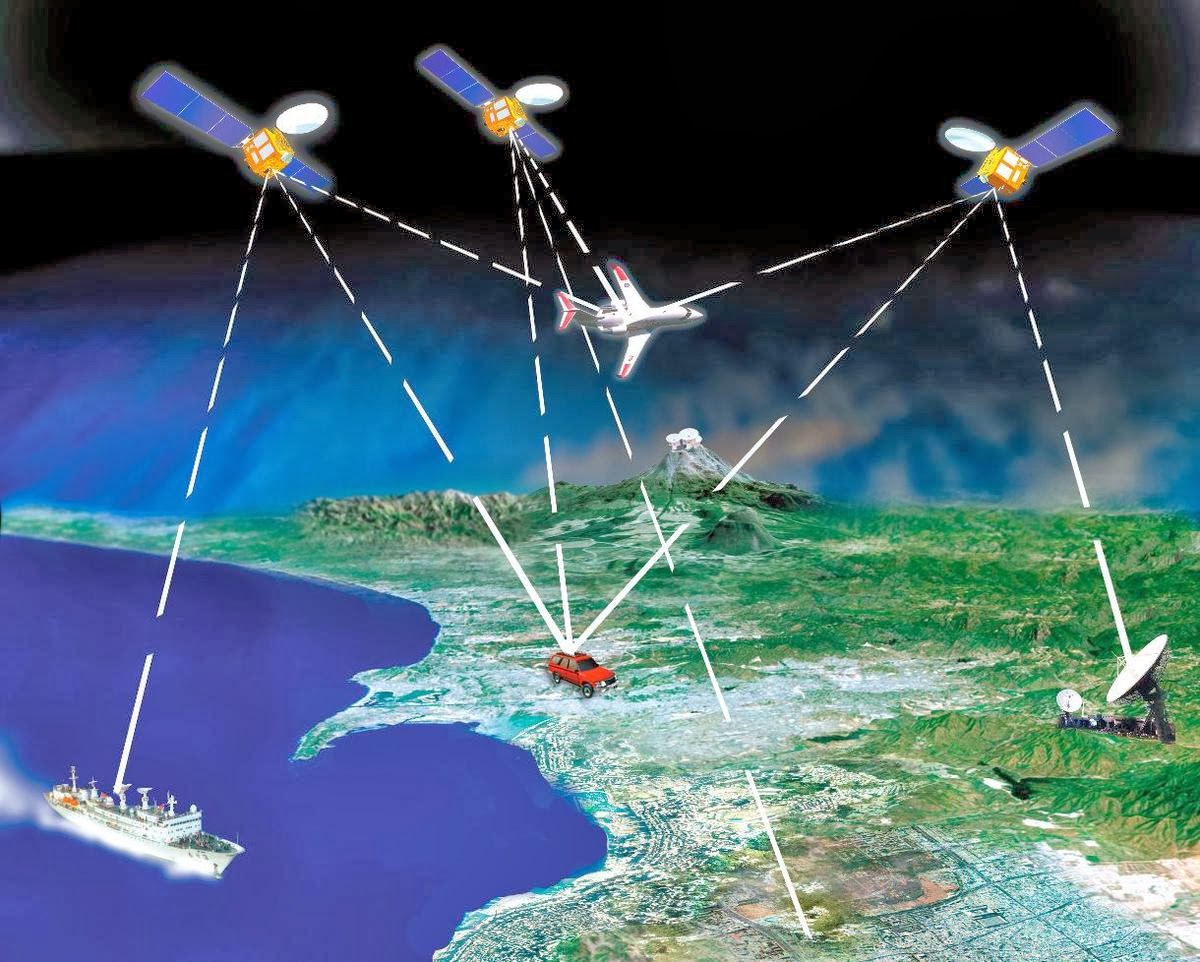
Another challenge was developing a means of communicating between components. It took some iteration before we found solutions that felt natural. For communication within an entity we used an event-based model. For those unfamiliar with this model it is somewhat similar to how a satellite relay works. A component that wants to send a message to another component broadcasts the message to its owner entity (the satellite). Which then rebroadcasts the messages to any listening components. This worked well for communication within an entity, but didn't scale to communicating between entities because there was no simple way to specify which entities would receive the message. Instead, we came up with a couple solutions that were useful for different situations. The first, and most direct, was to let a component listen for when other entities were added to the current scene. If an entity is of interest, the component can retain a reference and then communicate to that specific entity. A second solution was to set up a modified event-based system using our 'entity-linker' component. With this system an entity can link to a particular 'channel'. The entity will receive any messages broadcast on that channel. Similarly the entity can broadcast its own messages on the channel for other entities to receive. 

In addition to these challenges, there is also a general mental shift needed to switch from traditional inheritance oriented design to a component-based model. Thinking about each component as discrete, determining the proper means of interfacing with other components, deciding when to generalize a component or keep it specific, etc. All of these are questions that occur repeatedly as we work on Platypus. These aren't bad questions, just different.

We Like It, Now You Try It

In summing up, we are really happy with how Platypus has come together and continue to believe that going the component-based route was the right choice for the engine. If you want to form an opinion for yourself, feel free to check out the engine here on GitHub.

Monday, November 25, 2013

47 Easy Steps to Publishing Your First Platypus HTML5 Game

There are not exactly 47 steps to completing your first game, but this is the beginning of an article I'm planning to write stream-of-consciousness style, and I'm not looking back.


Step #1 - Get Platypus!

The PBS Kids team has provided the Platypus repository here: https://github.com/PBS-KIDS/Platypus

Once you have Platypus in hand, visit /game/template.html in your browser. You should see an initial example game appear. You're done! One step! Unless, of course, the one-level example game with +Todd Lewis's incredible pixel art wasn't what you were going for... ...then continue to Step #2. Coming up next. Scroll down.
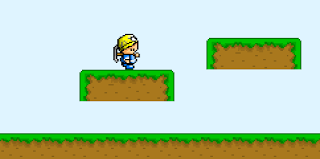
The tranquil, serene landscape of an example game.


Step #2 - Configure the Game!

There's nothing that says a picture isn't worth a
1000 words like a picture of fewer than 1000 words
Configure? Go figure. This is where you begin chewing into the code, but take small bites so we don't have to get all Heimlich on you. Check out the /game/config.json file. Go ahead, open it up. Note that we'll be doing a lot inside of the /game/ folder, because that's where the game is. The file you just opened is where most of the configuration for the game is stored (unless you just opened up a file not called "config.json"). It's a JSON-structured file with lots of settings. For this blog post, I'm going to walk through some of the changes I made to implement Breakout.

Global Settings

The first section determines some blanket settings for the whole game. You can change things like what scene the game should start on, the DOM element that should contain the game, and the framerate the game should target. While you do that, I'll change the game's aspect ratio to better fit Breakout: a nice, simple 0.7692307692307692307692.

Build Settings

This next section is an array containing settings for each build you want to create. Platypus lets you create, debug, and test the game at /game/template.html as you're working on it, but once you're ready to deploy, these settings mix up the batter, bake the game, and gently place the still-warm game files into the builds folder.

For Breakout, I'm getting rid of the "debug" build in the example so I'm down to a single build generically named "game". Nothing else really needs to be changed here, unless you don't want to use AppCache, hate compression, or want to use a custom namespace. I'm going with "platypus.breakout", but you can go crazy with the namespacing if you like: "namespace.name.space.my.awesome.game.space" We'll come back to build settings later, when we build our game at step #46 (give or take).

Game Sources

This is where the fun starts! This section is what comprises the entirety of your actual game, so let's stop all this chatterboxing about config.json and jump to the next step!


Step #3 - Create Awesome Art and Sounds!

Oi. This is where I call in professionals... ...or copy-and-paste if allowed. In either case, or if you're adept in the arts and create your own, take those awesome graphics and audio clips and drop them into /game/images/ and /game/audio/. Fortunately for Breakout, I am able to copy the art and sounds and be on my merry way.

Once they're all sitting comfortably in their new homes, you need to give them addresses so we can reach them later. Do this in config.json, in the "sources" section we jumped away from at the end of Step #2. You can copy the syntax of the example game images if you like, or just erase them all and pay attention. Images are easily specified with:

{
    "id": "image-id-that-is-used-in-the-game-code",
    "src": "images/image-name-that-is-addressed-by-id.png"
}

Audio is more complicated. You can go the easy route and use the syntax above to just target a subset of browsers, or you can brave the rough waters of HTML5 Audio support and read this more in-depth explanation. Have fun!


Step #4 - Make a Map!

Now that you have visuals, it's a great time to make a map! If you don't already have the Tiled Map Editor on your computer, go get it! It's awesome!
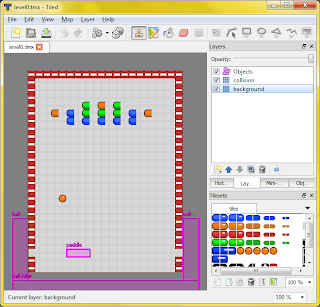
Tiled being awesome doing what Tiled does best: Tiling.
Got it yet? Alright, then onward! There's a whole tutorial here for all the captivating details. Once your map is ready, export it in JSON format and drop it in the /game/levels/ folder. Just like the other assets, give it an address in config.json in the "levels" section.

Things I included in Breakout are a tile and collision layer for the walls, a tile layer for the background tiles, and an object layer containing most of the entities I'll need in the game such as:
  • "brick-blue" - A blue brick.
  • "brick-red" - A red brick.
  • "brick-orange" - An orange brick.
  • "brick-green" - A green brick. Yes. I know. I could've made a single "brick" entity, but they were expecting that.
  • "ball-spawner" - This entity will create new balls.
  • "paddle" - The star of my little Breakout game - this fella never gets a break.
  • "ball-killer" - An unseen entity hovering below the stage, awaiting to consume any unfortunate balls that fall thither.
These are just text identifiers in the map at this point, but that's soon to change!


Step #5 - Fashion Entities!

An invisible, senseless robot
Entities do all the work in a Platypus game. They're tough like that. They're like little robots with a big heart and no limbs... ...or brain... ...or even a body for that matter. They're like little invisible, senseless robots, but you get to change that! You get to give them limbs, brains, and cold metallic skin so they can change the (game) world with their big hearts!! Read on to find out how!

Platypus entities are a really, really simple JavaScript objects. What makes them come to life are components. One or more logic components are attached to the entity to give it logic that determines its behavior; one or more render components are attached to give it an appearance in the game world; and one or more collision components are attached to make it interact with other entities. There are a lot of Platypus components.
A visible, sensible... ...robot

Now that you know, take that little invisible robot with a big heart and give it some components! For the Breakout "ball-spawner", I gave it two components: "logic-spawner" (logically, to spawn stuff) and "entity-linker" (like a radio channel to communicate with other entities). Its code looks something like this:

{
    "id": "ball-spawner",
    "components":[
    {
        "type": "logic-spawner",
        "spawneeClass": "ball",
        "speed": 0.16
    },{
        "type": "entity-linker",
        "linkId": "paddle"
    }],
    "properties": {}
}

"Wait! Hold up! Where's this happening!?!" you ask. Oh, right. Check out /game/entities/ and you'll see a bunch of entities created for the example game. I can add mine here as "ball-spawner.json" (and delete a few of the example entities I have no need for). Once that's done, I'll go to config.json and add its address under the list of entities.

What if the list of components isn't long enough? What if the special ability of your superhero isn't covered by a prefab component?? What if my Breakout paddle should do more than the combined abilities of the 11 components already attached to it??? (It doesn't help that my paddle has also become something of a game manager at this point, but that's neither here nor there; moving on...)


Step #6 - Create Customized Components!

Ah, amazing alliteration. Anywho, if your entity needs a bit of non-prefab-life added to it, either to tie-up a few loose ends or to entirely define the entity's very existence, make a copy of /game/components/ec-template.js, and begin molding that component into your very own creation. Once you're finished (or probably not - that whole debugging thing always seems to crop up and turn "done" into "5% complete"), add it to the list of available components in config.json and give it an id, then turn around and update the entity with the newly-created component!

The indefatigable "paddle" entity
For Breakout, I created one custom component on the "paddle" entity called "logic-paddle". It handles special things like sending impacting balls off at the correct angle, reacting to power-ups, and handling input from the player.


Step #7 - Build the Game!

Well, that was fast! We're done... ...helped by the fact that I entirely brushed over the intricacies (which I do hope to get deeper into at some point) and left out several iterations of testing and debugging (which would make for some pretty dry copy). Now that we're finished testing everything on /game/template.html, we hop on over to /tools/ (Yay! New folder!) and hit compile.bat or compile.sh depending on your OSrientation.

You'll see a series of compilation logs scroll by. If you notice any ugly errors, it's probably incorrectly formatted JSON. A missing comma typically looks not like a missing comma:

compile-json.js(96, 4) Microsoft JScript compilation error: Expected '}'

If all goes well, you'll see a new folder called /game/ in your /builds/ folder. Visit /builds/game/ in your favorite web browser and be amazed at your beautifully-crafted HTML5 game!


Step #8 - Play!
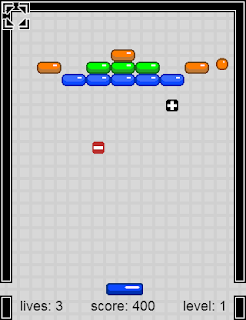
Breaking Out
Unless you don't play games. Then don't. Maybe you can find a friend or two to play it. Unless you don't share either. Can't help you there.

Who knew? I should've said "8 Steps". There you have it. 39 fewer steps than anticipated. This has been a rather high-level overview, so be sure to check out the reference and guides in the Platypus github wiki for more in-depth information.

If you decide to give Platypus a whirl, we'd love to hear what you're making! We're also hoping to make the learning curve as easy as possible, so if you run into any hurdles where things just do not work as you would expect, let us know that too! (Or, if you're in the mood, knock down the hurdle, grind it into a bunch of broken bits, pave over it with a bucket-full of awesome, and submit a github pull request.)